Library
Welcome to the Library section of the Curriculum Module! This section serves as the central repository for all academic materials available within the academy. The Library is designed to help you efficiently manage, organize, and utilize these materials to create comprehensive curriculum plans and assignments.
Features of the Library
1. Access to Academic Materials
The Library provides access to a vast array of academic materials, including textbooks, articles, multimedia resources, and more. These materials are categorized and searchable, making it easy to find the resources you need.
2. Organizing Materials
You can organize materials in the Library by categories, tags, and other metadata. This helps in quickly locating specific resources and ensures that all materials are well-structured and easily accessible.
3. Creating Curriculum Plans
Using the resources from the Library, you can create detailed curriculum plans. These plans can be structured to include specific topics, objectives, and materials, providing a clear roadmap for teaching and learning.
4. Assigning Homework
The Library allows you to assign homework based on the available materials. You can select relevant resources, set deadlines, and provide instructions to ensure students understand the tasks.
How to Use the Library
Navigating the Library
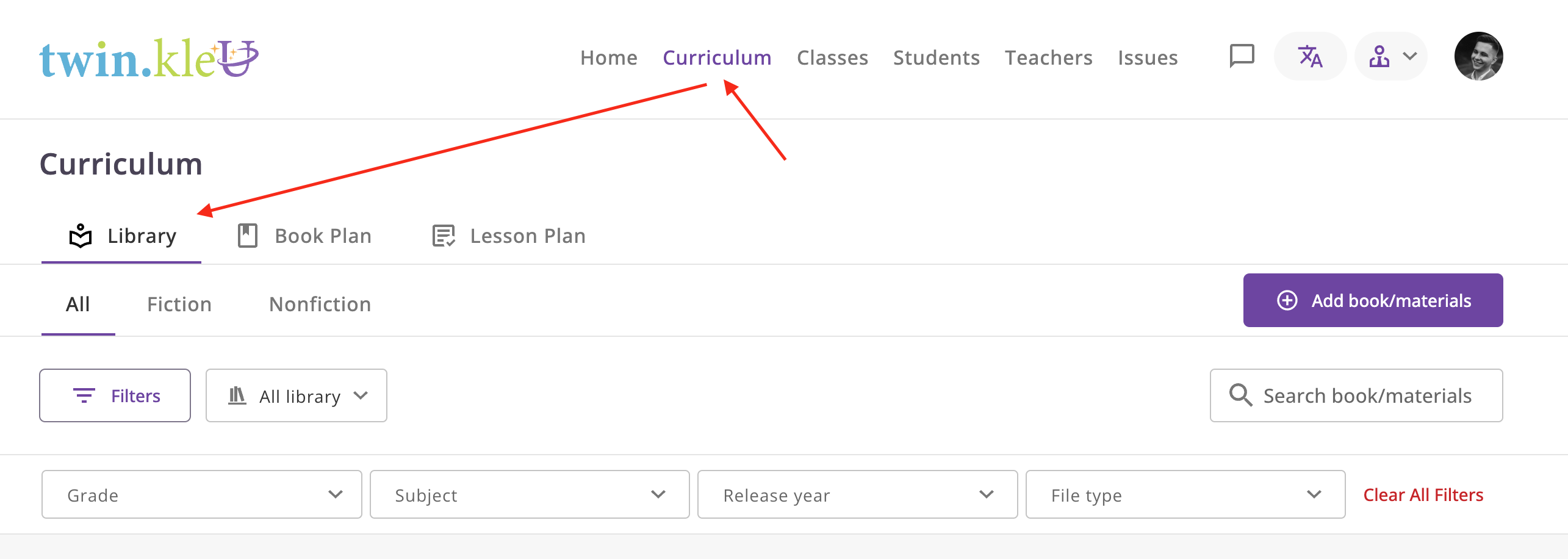
To access the Library, there is a top panel with sections. You need to select the "Curriculum" section, and then in the
opened window, select the "Library" tab.
Searching for Materials
Use the search bar at the top of the Library page to find materials by keywords, categories, or tags. The search functionality is designed to provide quick and relevant results based on your query.
Organizing Your Library
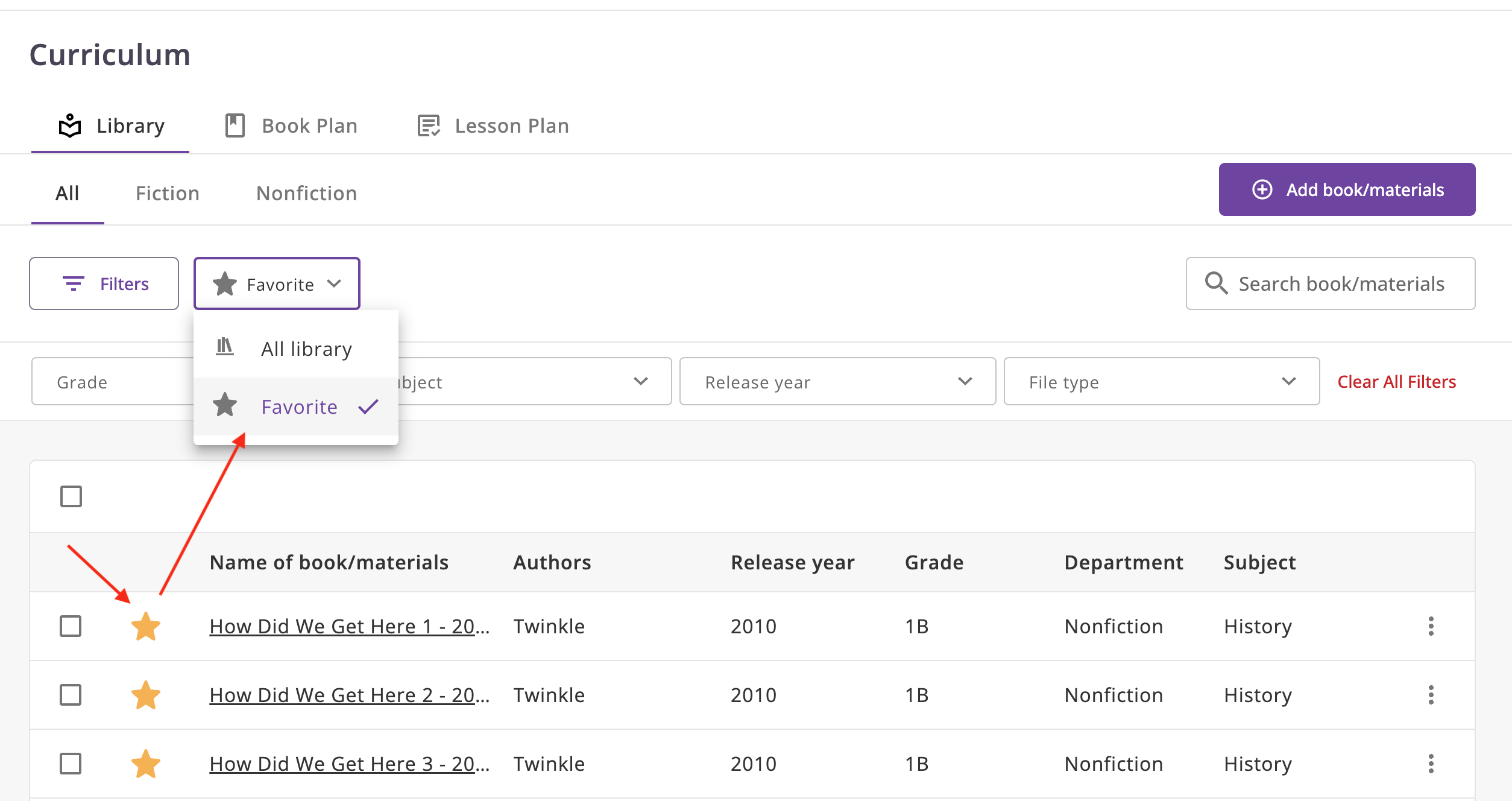
- Favorites: Mark frequently used materials as favorites for quick access.
Multiple download materials
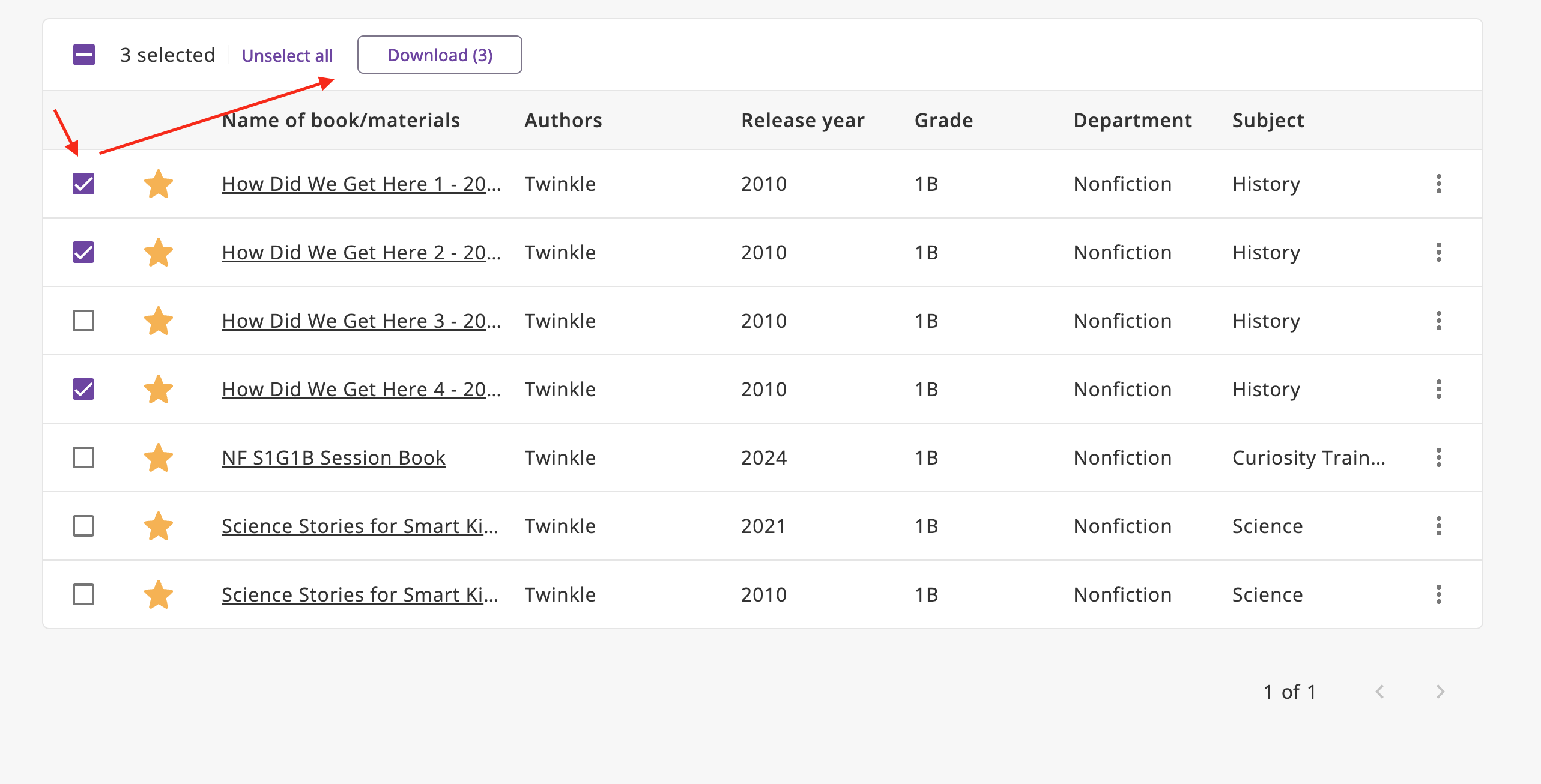
- Select Materials: Browse the library and select the materials you want to download.
- Download: After that, the download button will appear, click on it and the system will extract the archive and download it.
Single download material
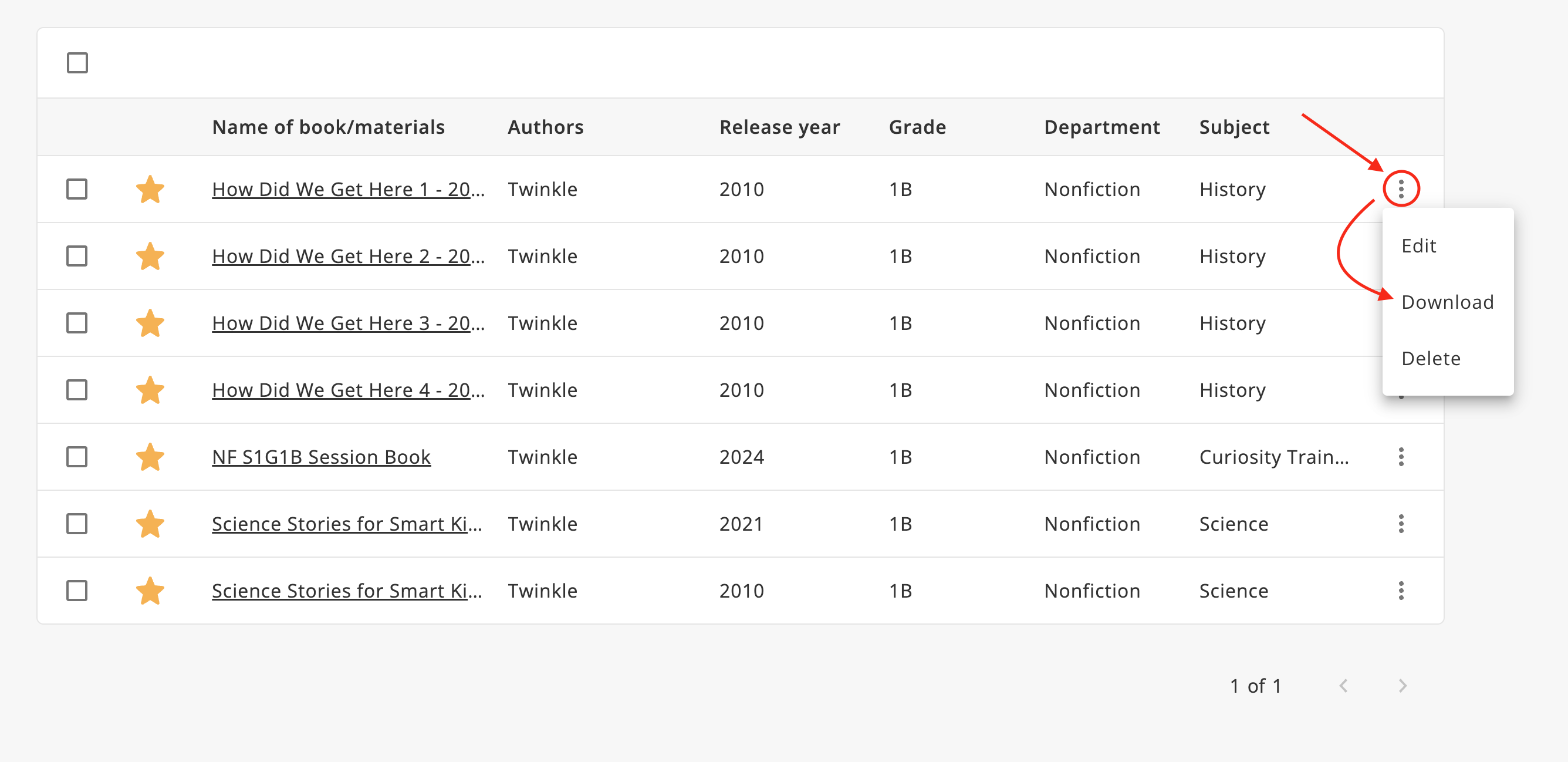
- Open menu: Click on the three dots in the right corner of the material.
- Download: Click on the download button and the system will extract the archive and download it.
Support
If you have any questions or need assistance with the Library, please contact our support team at support@example.com.