Bookplan List
Bookplan List is a list of plans that can be designated for specific grades, levels, departments, and sessions. Based on these plans, detailed Lesson Plans can be created.
Permissions
- No assigned plan: Can create and view.
- No assigned plan and are the author: Can edit and delete.
- Assigned plan: Can view.
Get started
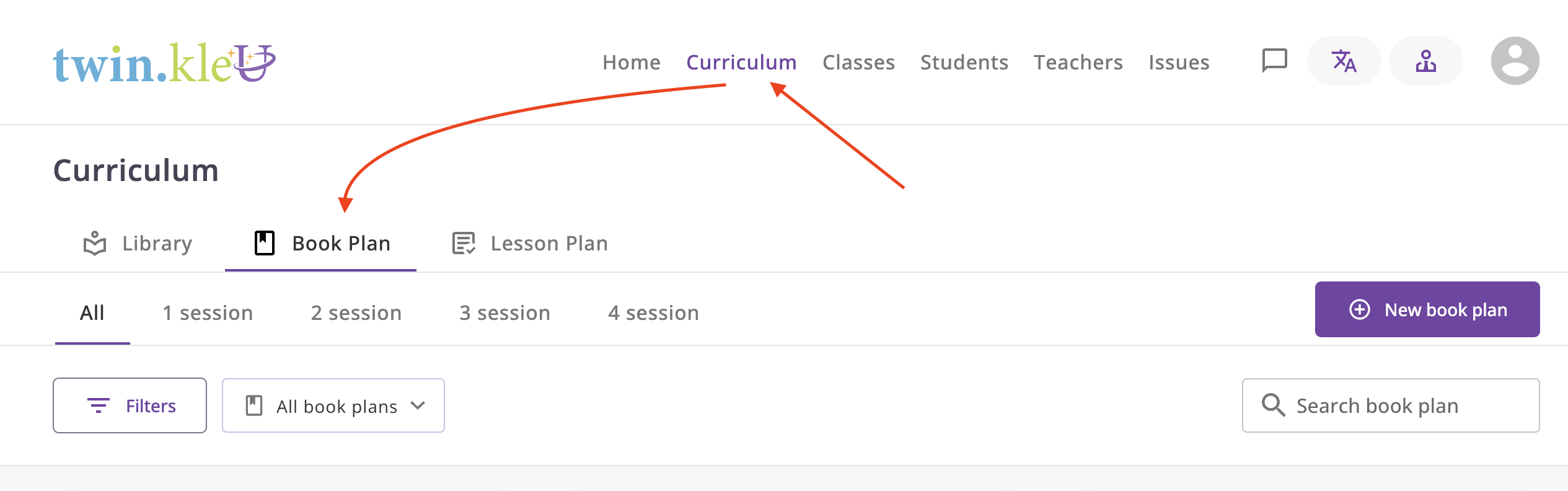
Navigate to the Curriculum -> Book Plan section in the main menu.
Explanation
Noname Plan
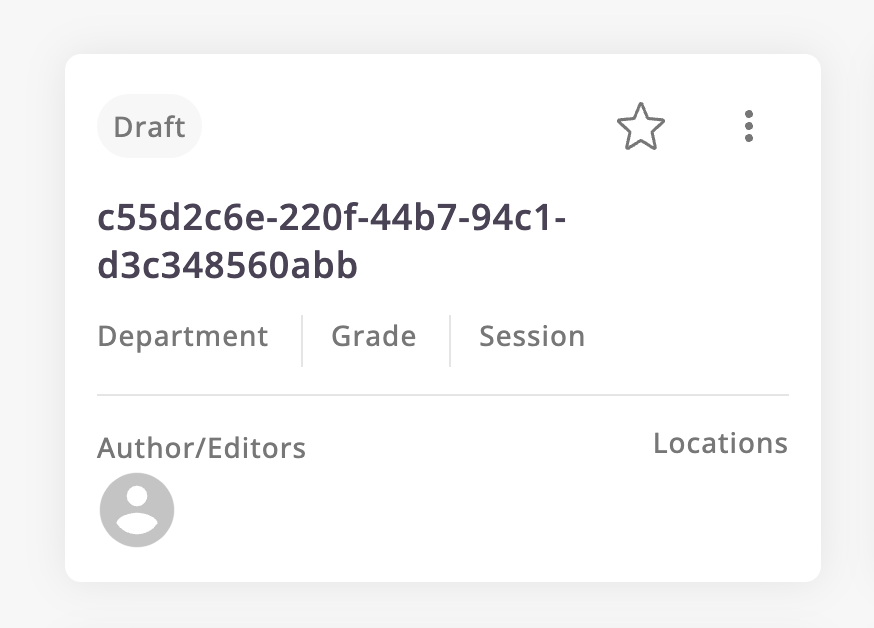
When you create a plan, it will be in draft status until you change it. No one but the author sees such a plan.
Also, you see a uuid like c55d2c6e-220f-44b7-94c1-d3c348560abb in the list of plans, this is normal because you
haven't saved the plan name yet.
Bookplan statuses
- Draft: The plan is not yet ready for use.
- Ready: When a plan is ready to use but not yet active. A Master Lesson Plan cannot be created on the basis of such a Book Plan.
- Active: The plan is ready for use and you can create a Master Lesson Plan based on it.
- Archived: The plan is no longer in use.
Bookplan state
- Plans can have the statuses listed above, but they can also exist in two states: No Assigned and Assigned.
- Assigned plan is a plan on the basis of which the Master Lesson Plan has already been created.
- The plan can be regular, or if it was based on a master lesson plan, it will exist in both states.
- A designated plan is usually used by teachers who teach on a given plan and cannot be changed, only reviewed. Therefore, a regular plan exists so that the manager can change the status or information of the plan at any time.
View Assigned Plan
If you want to see the Assigned Plan, click on the menu button and select View Assigned Plan.