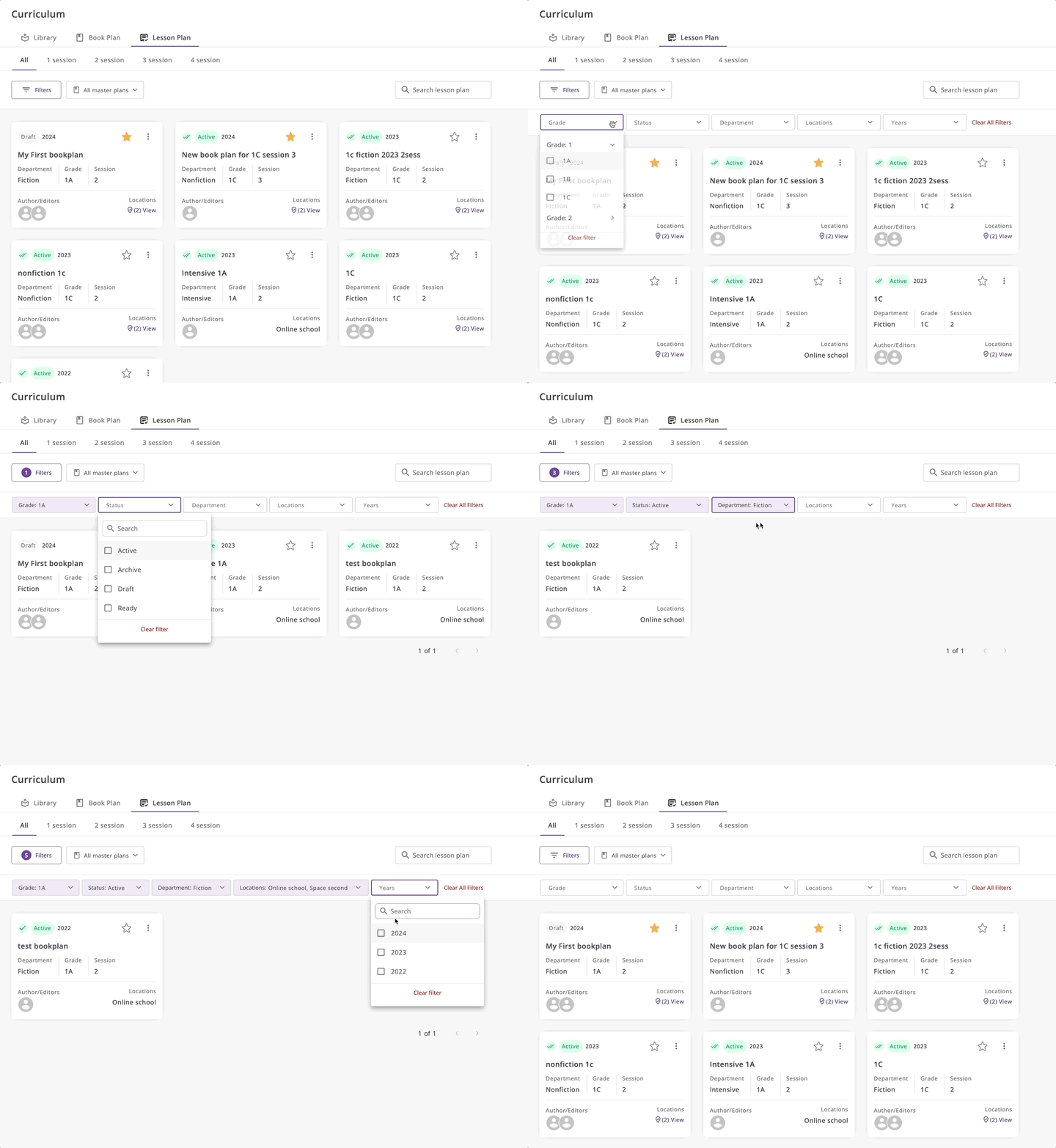
Lesson plan list
About
The Lesson Plan module is designed to structure educational content and organize it into a cohesive teaching schedule. It extends the functionalities of the Book Plan by adding more detailed scheduling capabilities. This module allows educators to plan lessons, assign the number of sessions, and schedule specific events in the calendar.
Structure
The Lesson Plan is composed of several key components:
- Session Count: Specifies the number of sessions required for each topic.
- Calendar Integration: Allows the assignment of specific dates and times to each session.
- Resource Management: Links to necessary resources and materials for each lesson.
Permissions
The following permissions are defined for the Lesson Plan module:
- Book Plan Creators and Editors: Only those who created or have editing rights to the Book Plan can create and edit lesson plans within it. Creating a lesson plan independently is not possible; it must be created from within an existing Book Plan.
- Teachers: View-only access to lesson plans and calendar events. Lesson plans will be inaccessible to teachers until they are assigned.
Capabilities
The Lesson Plan offers the following capabilities:
- Detailed Lesson Planning: Create comprehensive lesson outlines.
- Calendar Scheduling: Schedule lessons and sessions directly in the calendar, ensuring organized and timely delivery.
- Resource Integration: Attach and manage resources needed for each lesson, facilitating easy access for educators and students.
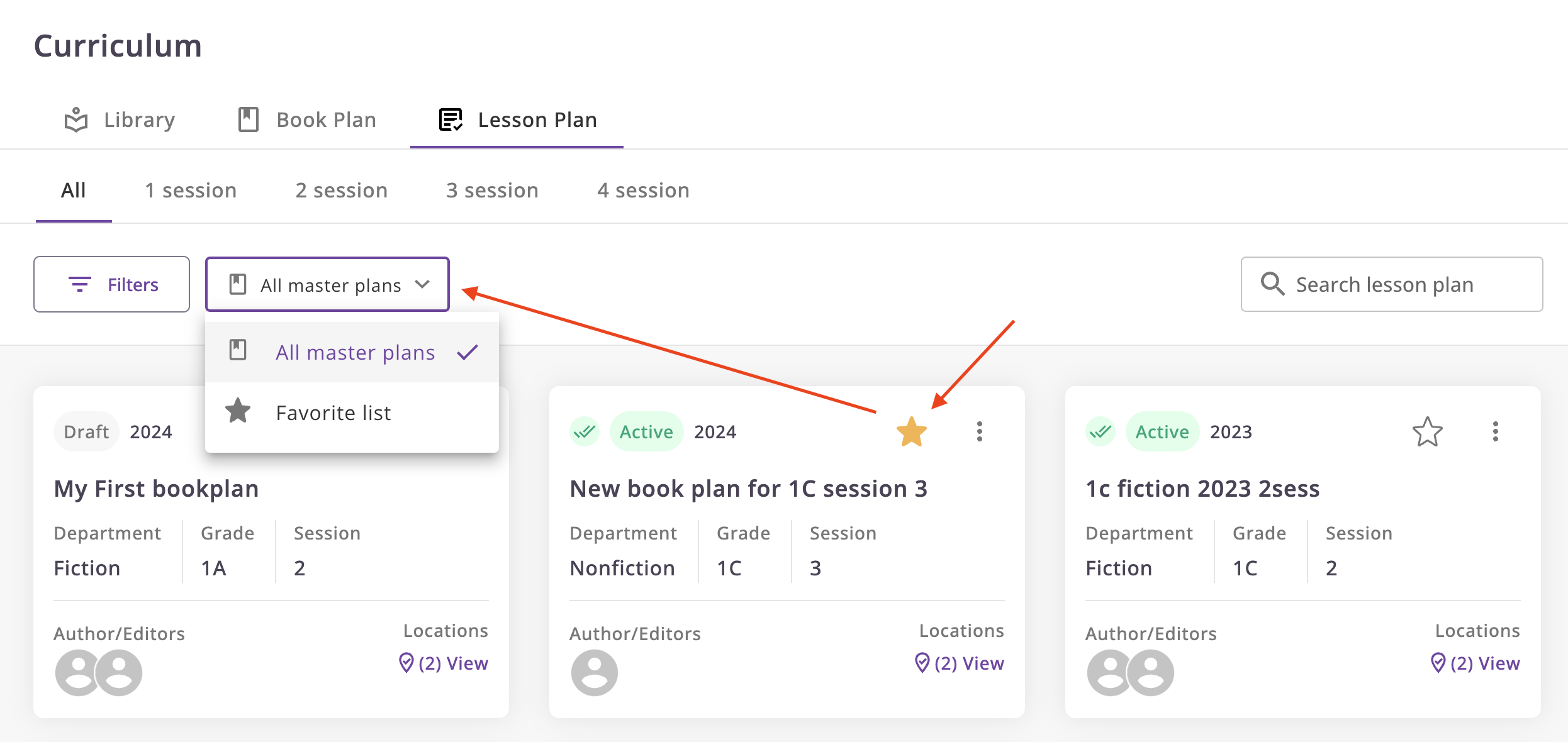
- Favorites: Mark the lesson plans as selected for quick access.
Get Started
Navigation
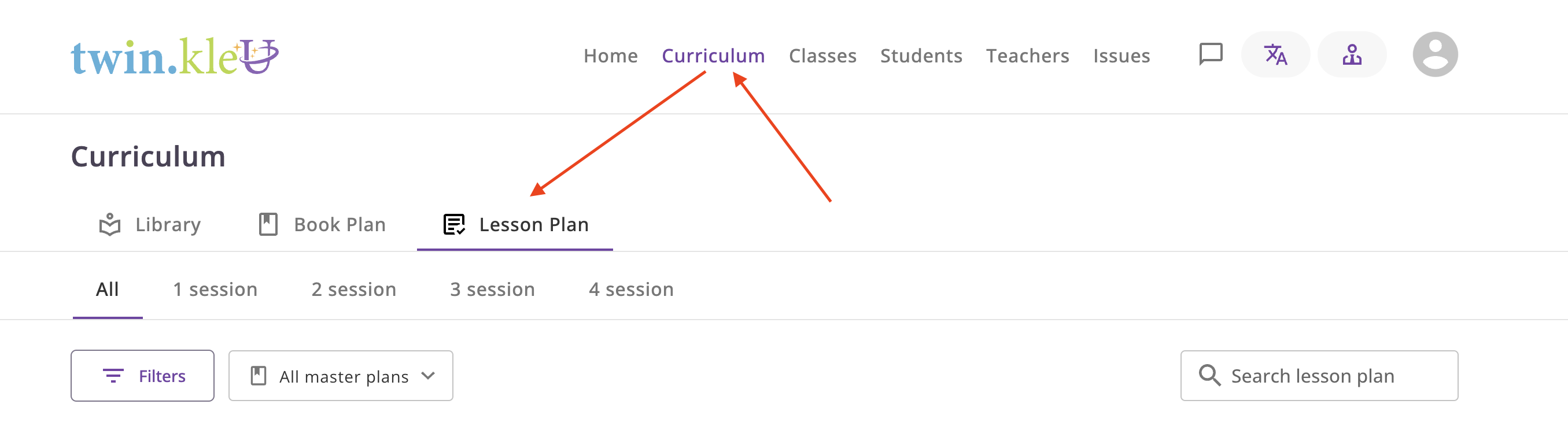
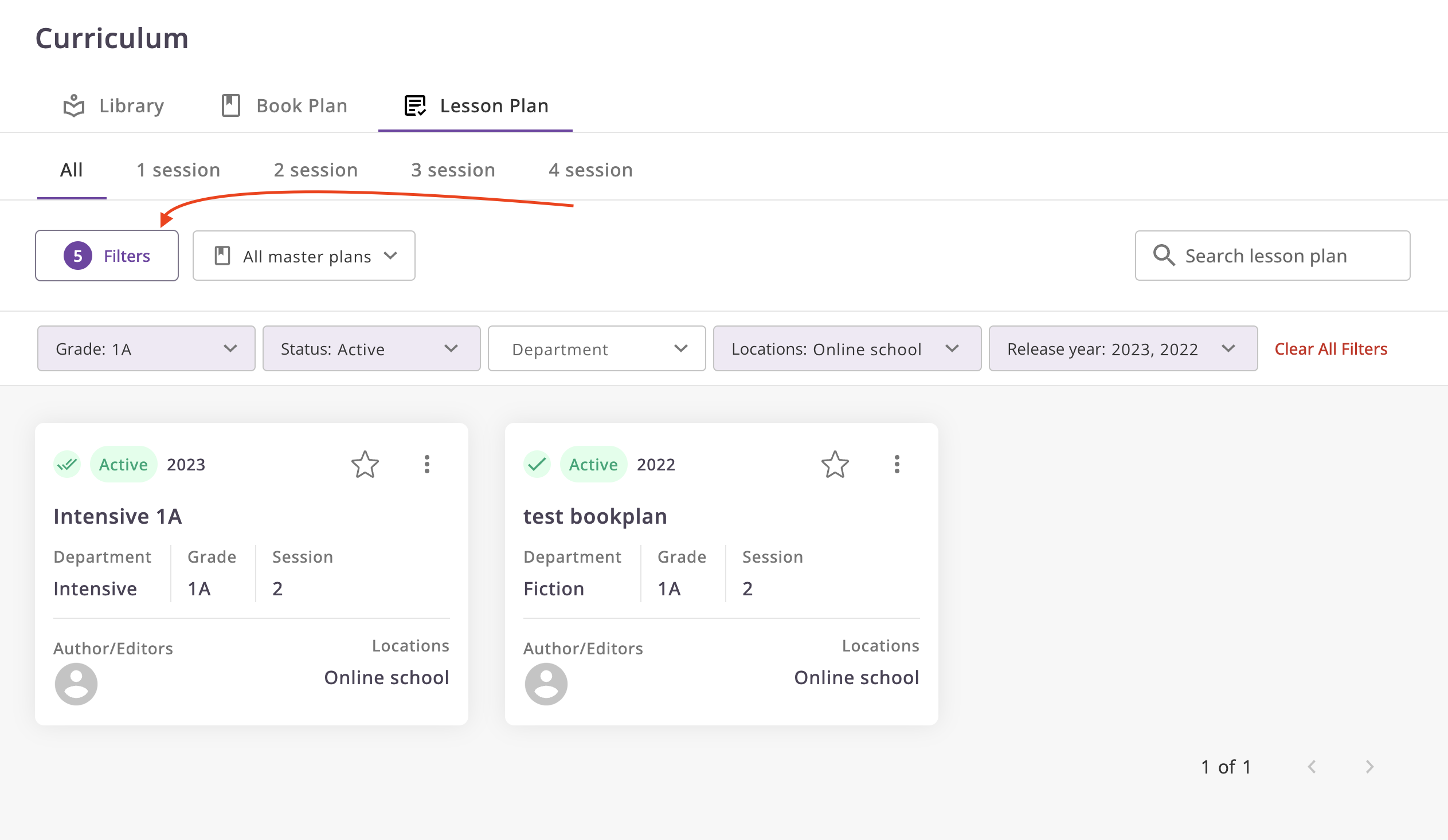
To access the Lesson Plan, go to Curriculum -> Lesson Plan.
Explanation
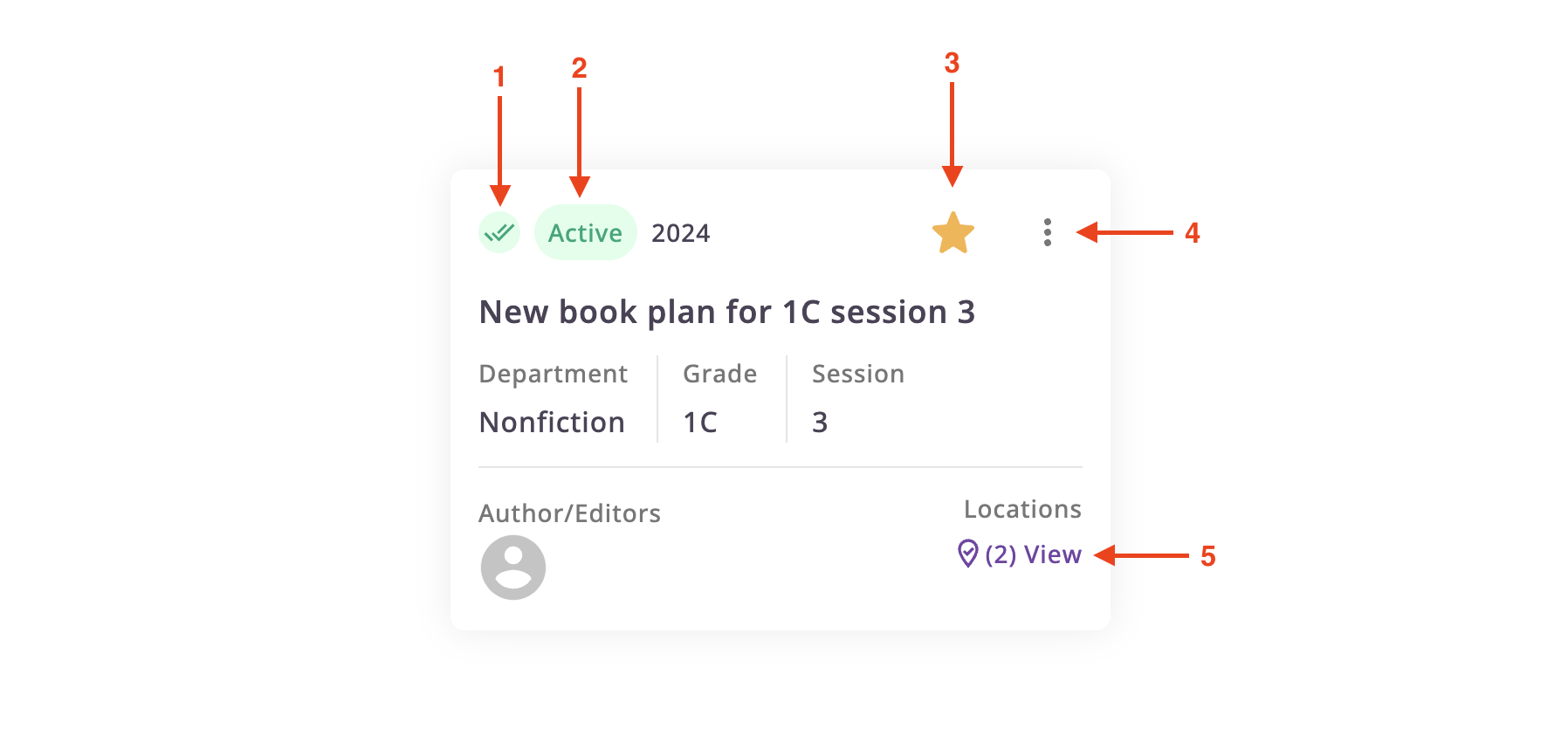
- State Indicator: Indicates the status of the lesson plan. It can be assigned or unassigned.
- Status Indicator: Shows the current status of the lesson plan. It can be draft, ready, active, or archived.
- Favorite Indicator/action: Allows you to mark the lesson plan as a favorite.
- Menu: Provides additional actions such as editing, view, view assigned version, and deleting the lesson plan.
- Locations: Shows the locations where the lesson plan is assigned.
Favorite Lesson Plans
To mark a lesson plan as a favorite, click on the star icon next to the lesson plan name.
Filter Lesson Plans
You can filter lesson plans by using the search bar or the filter options.
Click on the filter icon to open the filter options.
Demo